
How to Know When to Replace an SMT Squeegee Blade
Knowing when to replace an SMT squeegee blade helps maintenance teams prevent inconsistent solder paste deposits and unnecessary parts changes. Inspect the blade, holder and printing process before deciding whether replacement is required.
1. Visible Nicks or Edge Damage
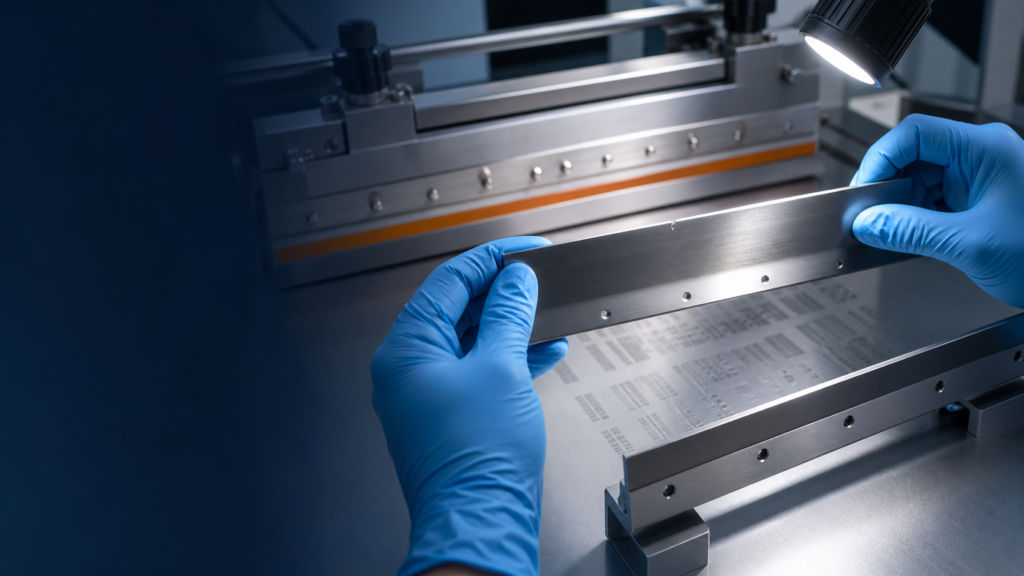
Inspect the complete working edge under good lighting. Small nicks, dents or deformed sections can interrupt contact between the blade and stencil, leaving localized solder paste behind after the print stroke.
Avoid running your finger directly along a sharp metal edge. Use visual magnification where available and replace the blade if its working edge is visibly damaged.
2. Rounded or Uneven Blade Edge
A metal squeegee blade can gradually develop a rounded or uneven working edge through repeated use. Compare the used blade with a known-good replacement when possible.
If wear is concentrated in one section, inspect the holder and mounting system. Uneven blade wear may indicate that the holder is bent or that the blade has not been installed correctly.
3. Paste Remaining on the Stencil
If solder paste repeatedly remains behind the blade after a print stroke, inspect the blade edge, blade straightness, holder condition, squeegee pressure, blade angle and stencil cleanliness.
Do not immediately increase pressure to compensate for a damaged blade. Excessive pressure may increase wear or create additional process variation.
4. Inconsistent Deposits Across the PCB
If solder paste deposits vary from one side of the printed area to the other, check whether the blade and holder are straight and correctly seated.
Similar symptoms can also be caused by stencil damage, insufficient PCB support or printer calibration problems. Inspect the complete printing system before identifying the blade as the only cause.
5. Excessive Paste Sticking to the Blade
Solder paste sticking to the blade does not always mean that the blade is worn. Paste viscosity, temperature, handling and production pauses can affect how the material rolls in front of the squeegee.
Confirm that the solder paste has been stored, prepared and used according to the supplier’s recommendations before replacing the blade.
6. Bent or Damaged Squeegee Holder
A new blade cannot correct a holder that is bent or unable to clamp the blade evenly. Inspect the holder for impact damage, loose clamping components, contamination and uneven blade exposure.
If the holder cannot position and support the blade correctly, replace the complete holder assembly rather than only the metal blade.